Skip to content

AI Voice Guide: The Voice That Guides Your Customers Through Self-Service

Reduce your Level 1 calls and empower your customers: provide an immediate response, or direct them to the right department without hanging up.

You have the digital tools, but people aren't using them

Digital transformation is outpacing your customers. Your applications and online platforms are becoming more sophisticated, but a large portion of calls still involve Level 1 issues that customers can already resolve on their own.

  • 50%

    of the calls received are simple Level 1 requests, many of which can already be handled online.

  • As soon as the call comes in

    The voice AI takes over for Level 1 scenarios from the very first second.

  • Step by Step

    She guides the customer to the right online service, then helps them learn how to do it on their own.

What is an AI voice guide?

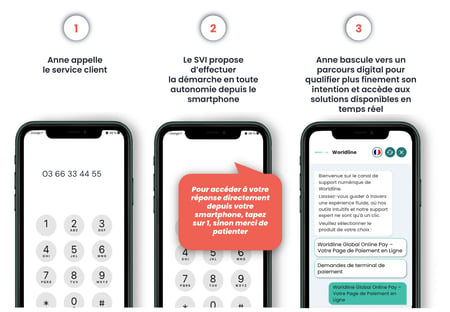
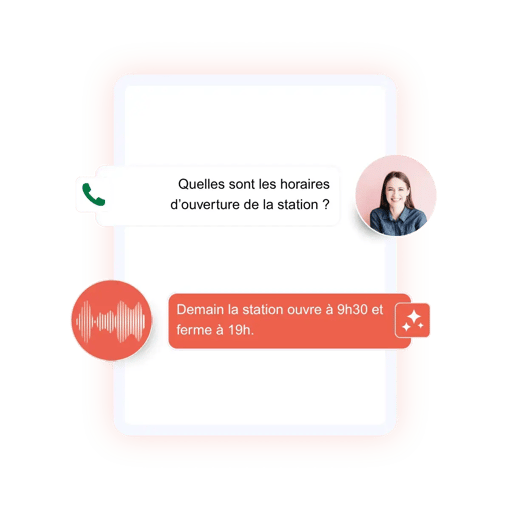
An AI voice guide is a conversational agent that guides the caller by voice throughout the call until their request is resolved. It understands the caller’s reason for calling in natural language, responds directly, or guides the customer step-by-step to a self-service channel via an SMS, RCS, or WhatsApp link.

The DialOnce voice guide is at the heart of self-service customer support: the voice assistant doesn’t just send a link—it stays on the line, helps reduce Level 1 calls, and drives self-service adoption. It complements the visual IVR and extends the capabilities of DialOnce’s voice AI agent.

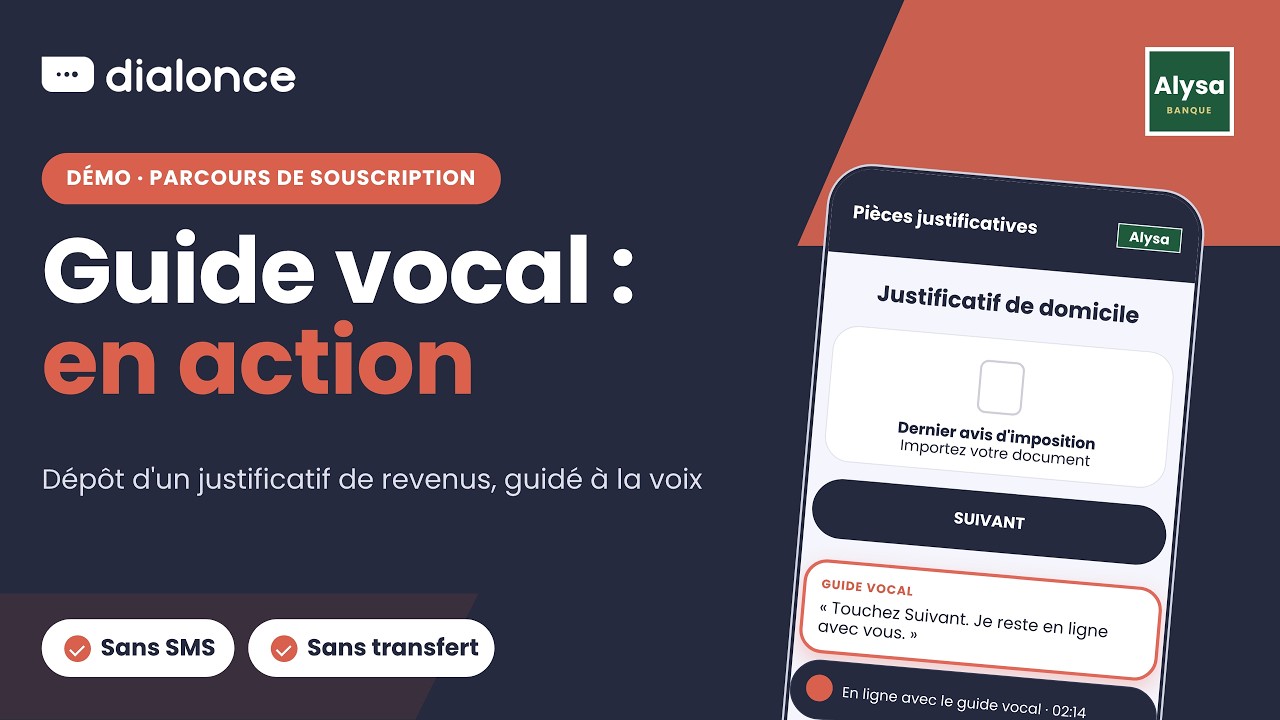
The Voice Guide in Action

The Voice Guide in Action

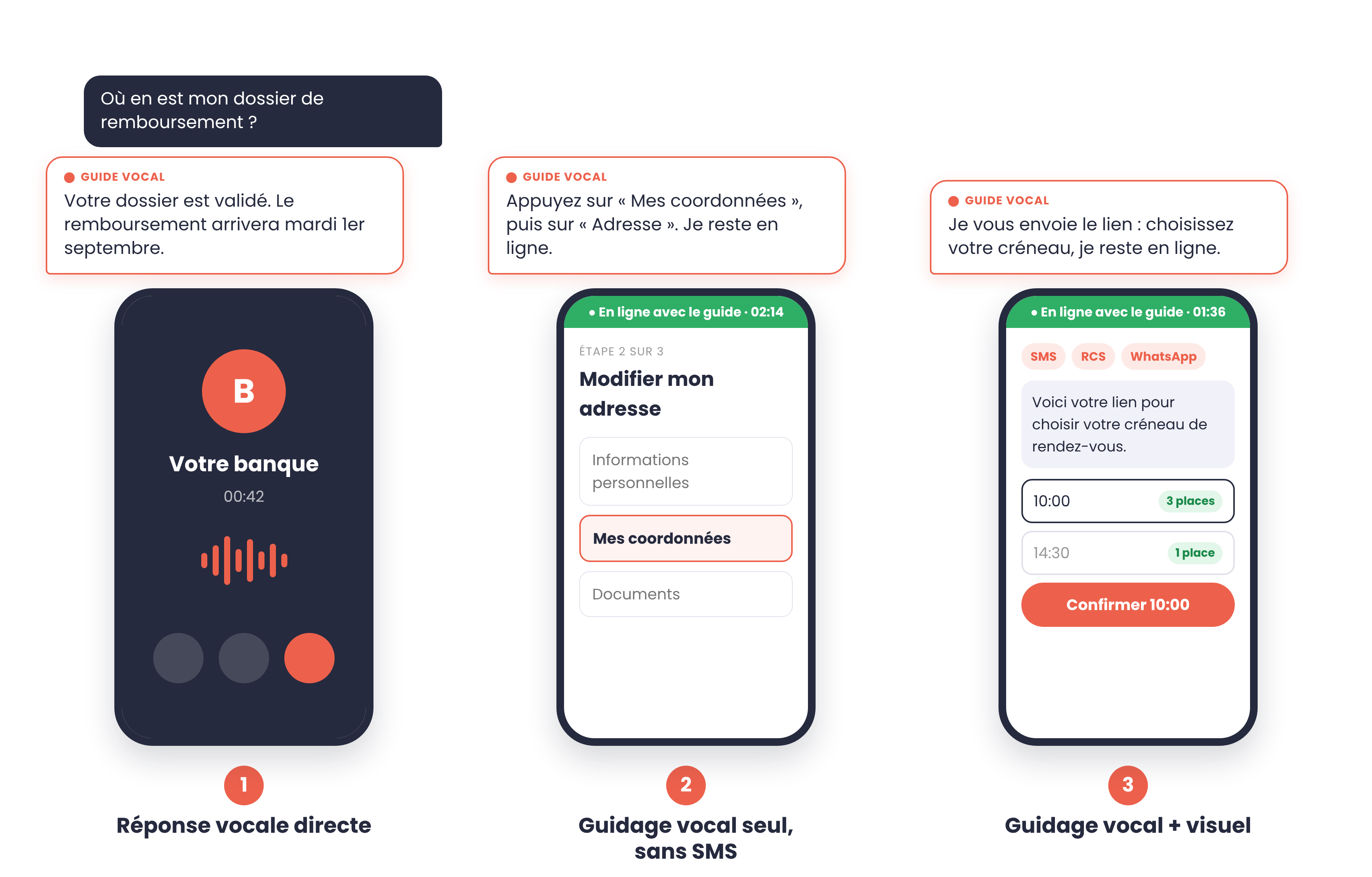
Resolving Issues via Voice or Directing Customers to Digital Channels: The 3 Modes

After assessing the nature of the inquiry, the voice assistant selects the most effective mode. Sensitive requests are transferred to an agent along with the context, either in real time or via a callback.

EN-1-direct-voice-answer
1

Direct voice response

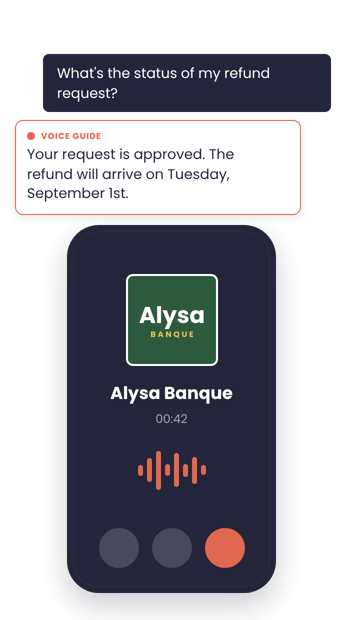
The customer asks a question, and the voice responds. Nothing appears on the screen. It’s a traditional phone call.

EN-2-voice-guidance-only
2

Voice guidance only, no text messages

The voice guides the customer step by step through a digital journey (“Tap My Contact Info”), without sending a link.

EN-3-voice-and-visual-guidance
3

Interactive guidance

The voice system sends a link via SMS, RCS, or WhatsApp, then guides the customer through the process (such as selecting a time slot).

Visual IVR and Voice Guidance: Complementary Features

The visual IVR directs the caller to the right place; the voice guide ensures they get there and captures those who don’t open the text message. Out of 100 Level 1 calls, the same starting point yields two paths.

Visual IVR alone

Level 1 calls
100
Open the text message
67
Complete on their own
about 45

The rest call back or give up: the customer is left alone in front of the screen.

Visual IVR + voice prompts

Level 1 calls
100
Assisted from the moment the call is answered
approximately 90
Resolved with guidance
about 72

We reach out to those who didn’t click, reduce drop-off rates, and help users become self-sufficient.

The Right Channel for Every Purpose, by Industry

If hearing an answer is enough, voice does the job. As soon as you need to show, capture, choose, save, or secure something, visuals become necessary.

Banking

Voice alone is enough

Branch hours and appointments, account status, fees, and limits

To be coordinated

Card cancellation, account opening, complaints

Visuals matter

Check accounts, transfers and bank details, sign contracts

Insurance

Just use your voice

Claim status, questions about coverage, appointment reminders

To be coordinated

Claim filing, quotes, and policy purchase

Visuals are key

Photos and damage reports, certificates, changes to coverage

Energy

Just a voice call

Request status, technician appointment reminders, reporting a outage

To coordinate

Moving, changing plans, billing complaints

Visuals are key

Bills, meter readings, payment schedules, usage tracking

Public sector

Just speak up

Hours and access, status of a request, callback request

To be coordinated

Submitting a request, filing a complaint, scheduling an appointment with documents

Visuals are key

Supporting documents, certificates, payment, digital ID

Expected Benefits

Combining voice with visuals has an impact on four key areas, all of which can be measured in your data.

↑

More self-service

Immediate voice responses for simple inquiries and re-engagement of users who don’t click on text messages.

✓

Better conversion

Voice removes barriers in the digital journey: fewer drop-offs.

↻

Continuous improvement

Voice interactions reveal friction points and measure satisfaction.

24

Reachability

Available 24 hours a day, with qualified call routing and context provided to the agent.

IVR and CRM Integration

The voice guide integrates with your phone system and tools without requiring a major project. DialOnce is a French company: the AI is designed, operated, and hosted in France.

Diabolocom
Genesys
Odigo
Kiamo
Five9
NICE
Axialys
RingCentral
Salesforce
Zendesk

FAQ: The AI Voice Guide

  • An AI voice guide is a conversational agent that provides voice-based assistance to the caller throughout the call until the request is resolved. It understands the caller’s reason for the call in natural language, responds directly, or guides the customer step by step to a self-service channel via an SMS, RCS, or WhatsApp link.

  • A voicebot responds to voice commands, while a visual IVR directs the caller to a digital journey via text message. The AI voice guide combines both: it identifies the reason for the call, responds directly or sends a link, and then stays on the line to guide the customer through the rest of their journey.

  • After identifying the issue, the voice guide sends a link to the correct step-by-step instructions and then guides the customer step by step, via voice, through the app or website. The guide remains on the line until the task is complete, and the customer learns how to do it on their own next time.

  • Level 1 requests, which can already be handled online: case status, schedules, scheduling appointments, viewing account information, bank account details, certificates, or invoices. Sensitive or complex requests are forwarded to an advisor along with the context of the interaction, either in real time or via a callback.

  • No, they complement each other. The visual IVR directs the caller to the right place, while the voice guide ensures they get there and captures those who don’t open the text message. Out of 100 Level 1 calls, the example shown above increases the number of customers who complete the process from about 45 to about 72.

  • Combining voice with video has an impact in four key areas: increased self-care, improved conversion with fewer drop-offs, continuous improvement driven by the friction identified through voice interactions, and 24/7 availability. These benefits can be measured using your own data.

  • No. The voice guide works for all calls—mobile, landline, or anonymous—both in France and internationally. The link is sent via SMS, RCS, or WhatsApp, depending on your preference, and when no digital process is required, it responds directly to your voice.

  • The voice guide connects to your phone system and tools without requiring a major project. DialOnce integrates with Diabolocom, Genesys, Odigo, Kiamo, Five9, NICE, Axialys, RingCentral, Salesforce, and Zendesk, among others.

  • Yes. DialOnce is a French company: the AI is designed, operated, and hosted in France (Scaleway).

Further Reading

  • Agent IA vocal : automatisez votre service client avec l’IA
  • Le guide complet du SVI visuel